Author: Sarah Northway

  • Rebuild: Porting to the PlayBook via Adobe AIR and FlashDevelop

    Pugs Luv Beats
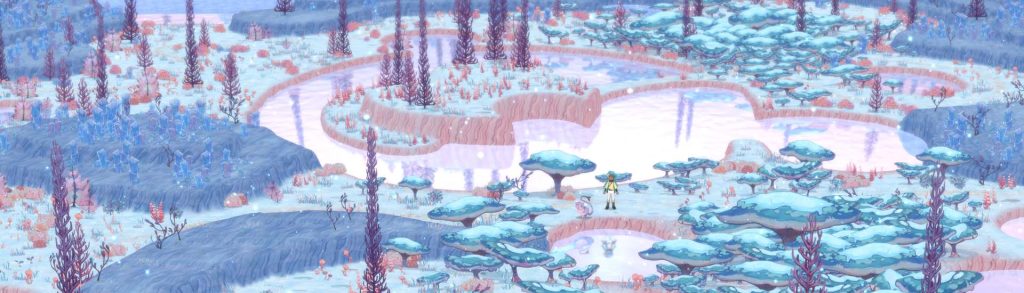
    I helped demo IGF nominees Faraway and the very musical Pugs Luv Beats.
    Last week was my first GDC as an indie developer, and hoh boy were those goodtimes!

    I helped Colin present in a talk about failure (Incredipede was the happy ending), and co-demoed Steph Thirion’s game Faraway in the Independent Games Festival. During the awards ceremony they gave us all BlackBerry PlayBooks, so I now have little excuse not to port Rebuild to it.

    I sat down to get it running today and spent far too long stepping through RiM’s convoluted developer security setup, which took me even longer than Apple’s similarly obtuse system. There are several tutorials out there but some were out of date or assume you have Flash Builder (I use FlashDevelop). So as of March 2012, here’s what you do to get your SWF running as an app on your PlayBook:

    Step 1: Request a CSJ code signing key from BlackBerry.com (takes a couple hours).

    Step 2: Get the Flex SDK, AIR SDK, and BlackBerry AIR SDK. I had trouble with Flex4.6 + Air3.2 so I used Flex4.5 with Air 3.1.

    Step 3: Start dev mode on your PlayBook in Options > Security > Development Mode.

    Step 4: Edit & execute the following to install the debug token on your PlayBook (ten steps and five different passwords, seriously?):

    @echo off
    
    :: BlackBerry development token 
    :: More information:
    :: https://bdsc.webapps.blackberry.com/air/documentation/ww_air_testing/Create_a_debug_token_CMD_ms_1968147_11.html
    :: http://www.hsharma.com/tutorials/10-easy-steps-to-package-and-sign-air-apps-for-playbook/
    :: http://docs.blackberry.com/en/developers/deliverables/27280/Running_unsigned_apps_debug_tokens_1585072_11.jsp
    :: http://openbbnews.wordpress.com/2011/11/16/installing-a-debug-token/
    :: http://www.mellisdesigns.com/blog/?p=37
    
    :: Path to Blackberry SDK
    set PATH=%PATH%;C:\Program Files (x86)\Research in Motion\blackberry-tablet-sdk-2.0.0\bin
    
    :: Path to Java
    set PATH=%PATH%;C:\Program Files (x86)\Java\jre6\bin
    
    echo First get CSJ from https://bdsc.webapps.blackberry.com/air/signingkeys
    echo And start dev mode on PlayBook in Options > Security > Development Mode
    
    :: begin setup
    call blackberry-signer -csksetup -cskpass [YOUR_PASSWORD]
    
    :: register CSJ locally
    call blackberry-signer -register -csjpin [YOUR_PASSWORD] -cskpass [YOUR_PASSWORD] client-PBDT-[XXXXXXXXXX].csj
    
    :: create p12 file
    call blackberry-keytool -genkeypair -keystore author.p12 -storepass [YOUR_PASSWORD] -dname "cn=YOUR_NAME" -alias author
    
    :: register device against CSJ
    call blackberry-debugtokenrequest -register -csjpin [YOUR_DEVICE_ID] -storepass [YOUR_PASSWORD] client-PBDT-[XXXXXXXXXX].csj
    
    :: later calls expect the p12 here for some reason
    call copy author.p12 "C:\Users\USER_NAME\AppData\Local\Research In Motion\author.p12"
    
    :: create the debug token BAR
    call blackberry-debugtokenrequest -storepass [YOUR_PASSWORD] -devicepin [YOUR_DEVICE_ID] debug_token.bar
    
    :: sign bar with RIM (remote)
    call blackberry-signer -verbose -cskpass [YOUR_PASSWORD] -keystore author.p12 -storepass [YOUR_PASSWORD] debug_token.bar PBDT
    
    :: sign bar with developer (local)
    call blackberry-signer -keystore author.p12 -storepass [YOUR_PASSWORD] debug_token.bar author
    
    :: upload debug token to playbook (must be running in debug mode at this address & password)
    call blackberry-deploy -installDebugToken debug_token.bar -device [DEVICE_IP_ADDRESS] -password [YOUR_PASSWORD]
    
    :: echo important metadata
    echo Add the following authorId to bar-descriptor.xml
    call blackberry-airpackager -listManifest debug_token.bar
    
    pause
    

    Step 5: Download this FlashDevelop project adapted from Studio Chris’ BlackBerry template, and edit airplaybook.as3proj and airplaybookConfig.xml to point to your SDK locations.

    Step 6: From FlashDevelop, hit F5 to build your SWF and test it locally using ADL.

    Step 7: Edit & execute the following to package and install the app:

    @echo off
    :: AIR application packaging
    :: More information:
    :: http://livedocs.adobe.com/flex/3/html/help.html?content=CommandLineTools_5.html#1035959
    :: http://www.hsharma.com/tutorials/10-easy-steps-to-package-and-sign-air-apps-for-playbook/
    
    :: Path to Flex + AIR SDK
    set PATH=%PATH%;C:\Program Files (x86)\Adobe\Flex451AIR31\bin
    
    :: Path to Blackberry
    set PATH=%PATH%;C:\Program Files (x86)\Research in Motion\blackberry-tablet-sdk-2.0.0\bin
    
    :: Path to Java
    set PATH=%PATH%;C:\Program Files (x86)\Java\jre6\bin
    
    :: package swf and assets into a bar then install to device and run the app
    call blackberry-airpackager -package airplaybook.bar -installApp -launchApp application.xml bar-descriptor.xml airplaybook.swf blackberry-tablet-icon.png landscape-splash.png portrait-splash.png -devMode -device [YOUR_DEVICE_IP] -password [YOUR_PASSWORD]
    
    pause
    

    If all goes well, you should see Main.as (a red square on a black background) appear on your BlackBerry. Chances are good that some parts of the debug token installation aren’t necessary but it got the job done.

    Rebuild actually ran the first time, and quite well which was an unexpected surprise. Now I need to adjust the fonts and aspect ratio, then go through what promises to be another certification nightmare to package it for sale in the BlackBerry App World. It’ll probably take two or three days total, so no great loss if it bombs.

    Rebuild should be out for the PlayBook by the end of the month!
  • Rebuild: iPhone, iPod touch & 99 cent sale

    I just released the version 2.0 update to Rebuild iOS, which adds support for iPhone 3GS/4/4S and iPod Touch 3&4. To celebrate, Rebuild is also on sale for 99 cents through the end of this weekend!

    I just got new business cards made up for GDC. This one is my favorite. :)

    I hope this update also addresses some of the stability issues that Rebuild has been having on the iPad 1. Did you realize an iPhone 4 has twice as much memory as the iPad 1? So it was easier than I’d expected to accommodate iPhones, and obviously I should have done this earlier. I can’t get enough of how nice the cartoony map graphics look on that double-density display.

  • 2011 Was A Good Year for Zombies

    It was also a great year for us! Colin and I hopped around the world again with nothing but our laptops, meeting new friends and working on our respective games. I released Rebuild 1 in February from Costa Rica, Rebuild 2 in October from Japan, and Rebuild Mobile in November from the Philippines. The games have done well enough that we can afford to keep this travel thing up for another year.

    Best of 2011 AwardRebuild recently won the Best of 2011 award for Simulation/Strategy from JayIsGames, my favorite casual games review site. Between that, placing in the Kongregate top ten all year, and being called “unputdownable” by Touch Arcade, Rebuild has totally exceeded any expectations I had when I wrote the first version one weekend at my in-law’s house. Thanks to everyone who’s encouraged me to keep improving the series!

    Soon I’ll be releasing Rebuild for iPhone/iPod touch, to complete my domination of the iOS market. Then it’s finally time to take a break from the brain nomming cretins (god love ’em) and work on Incredipede with Colin. Which BTW is going to look amazing!

  • Philippines & Hong Kong


    Kiss
    Originally uploaded by apes_abroad.

    After Tokyo we spent two months in the Philippines with our friends Ron and Arlie, and my god did we have a blast. We stayed in a seaside mansion where we had delicious Filipino food prepared for us nightly, and were visited by friends from across the indieverse and beyond. We took a lot of pictures, and it seems most of them fit into the categories: sailing, snorkeling… and bugs.

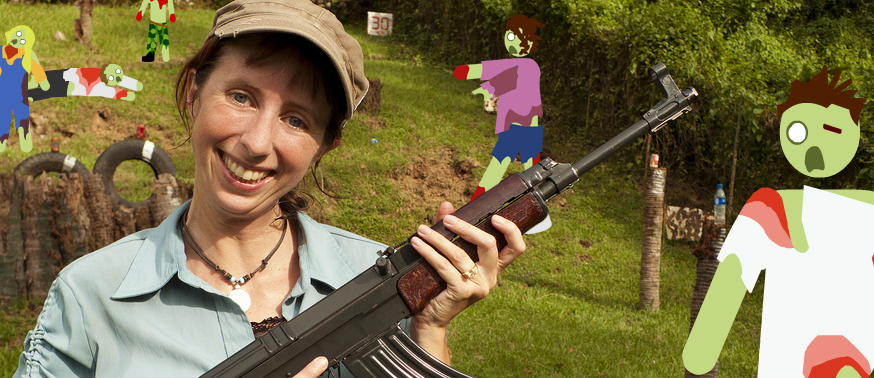
    Oh and some photos of me shooting an AK-47 and hiking up to a native Mangyan village with our friend Peter. The expats were super friendly and welcoming, centered around the local yacht club where we had dinner on Friday nights and took a few sailing lessons. The older brits and their young Filipino wives seemed a little colonial at times, but some like Peter were active in the community and helping to promote touristic alternatives to seedy Sabang and boring White Beach.

    After the Philippines the two of us spent two weeks in Hong Kong. Unfortunately Colin came down with a mysterious illness and was out of commission for much of it. We stayed in Mong Kok on the Chinese side which has the highest population density in the world, as well as many wonderful markets and whole streets dedicated to aquariums, flowers, and songbirds. Our room was a cozy little breadbasket, bright and quiet and just big enough for a bed and the two of us to stand. We met some eccentric housemates and wrote an iPad game for Colin’s mum, which teaches Japanese Katakana using a crossword and photos from our time in Tokyo. We showed it around at an indie game meetup in Hong Kong and people were impressed, so we may release it on the app store eventually.

    Christmas with family on Vancouver Island was great as always. It hasn’t snowed yet but there’s still time before we head down to San Francisco. We’ll be there until March or April but haven’t decided where to go after that. Europe? Eastern Canada? We’ll see…

  • Rebuild: iPad 1 + 2 sales figures

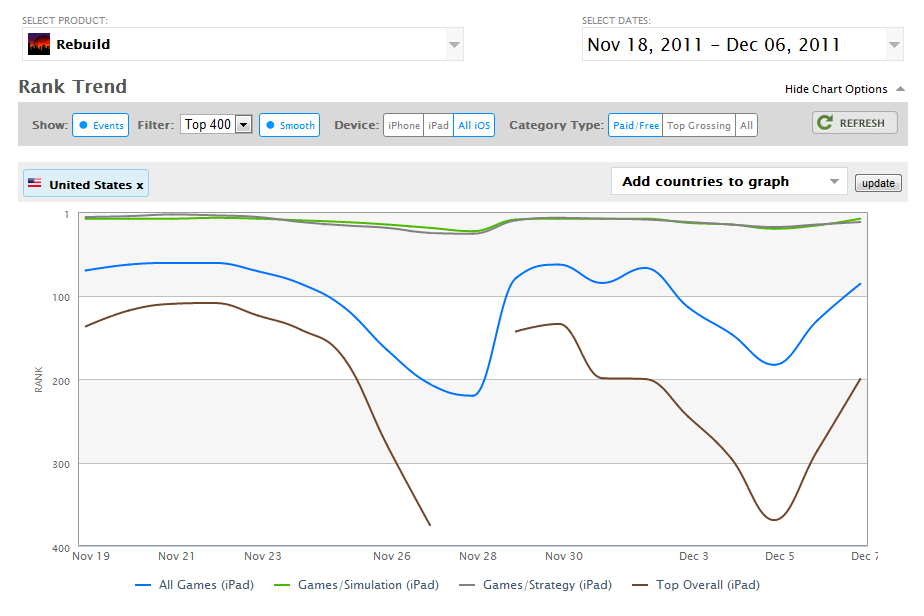
    Rebuild for iPad reached the US top ten in Simulation & Strategy.
    After all sorts of whining about Flash’s poor performance on the iPad 1, I manned up and made it happen.

    The iPad 1 version of Rebuild has less snantzy animations, the map doesn’t scroll quite as smoothly, and admittedly it does run out of ram sometimes and crash. But these issues don’t seem to have lowered the game’s ranking or sales. I’ve gotten more complaints about Air incorrectly listing 15 languages than about performance.

    I’ve been tracking the figures on AppFigures.com and was excited to see Rebuild’s #1 app ranking in Anguilla. Well… just kidding, but it was in the top 100 games in the US and UK for awhile. Considering it was never featured by Apple, Rebuild did pretty well, and made $15k in the first month.

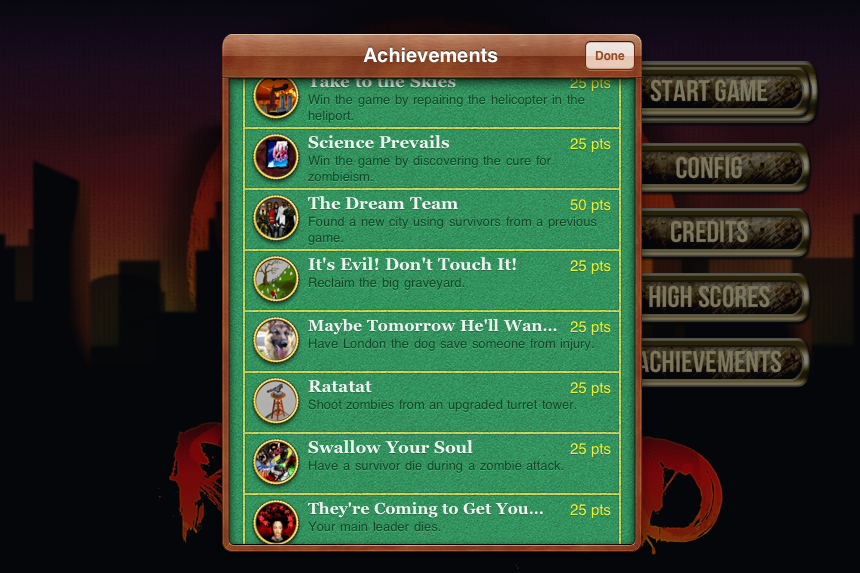
    Rebuild for iPad now has Game Center Achievements & Highscores
    Rebuild for iPad now has Game Center Achievements & Highscores.
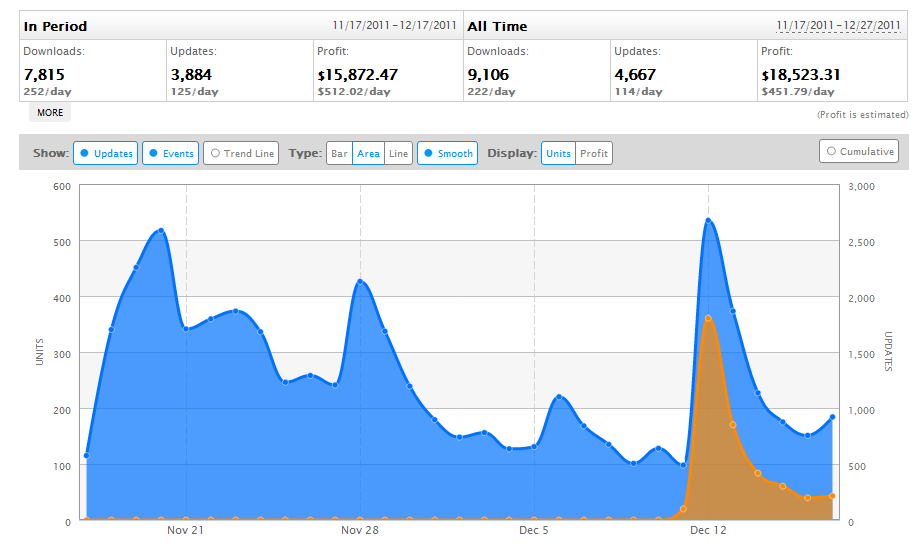
    It’s evident that Rebuild’s success on the iPad came from it’s previous success as a Flash game. The sales peaks came on days when Rebuild was reviewed on sites like TouchArcade, as well as AppTudes, AppSmile, iPaddisti, 148Apps.

    Releasing iPad 2 then iPad 1 separately may have been better too, because the update triggered a second round of press.


    Rebuild sales peaked during reviews and updates
    Rebuild sales peaked during reviews and updates.
    Likely it will earn another $15k from now on, possibly more if I put out an iPhone version or a content update and do some creative sales to get more press. But of course I’d rather be working on new things.

    Like the Katakana crossword game Colin and I wrote for his mum for Xmas. Or the movie keywords parlor game I’ve been meaning to write for years. Or Word Up Dog (perhaps soon to be rewritten in Stage 3D).

    Or, you know, Rebuild 3.