Colin and I released Incredipede one month ago on October 25th. It’s available for sale from our website (via the Humble Store) and also on Good Old Games. There’s a Flash demo version now making its rounds on the internet, which is apparently quite popular in China and Spain. We’ve had great press in Rock Paper Shotgun, Gamasutra, Indie Game Magazine, Verge, PC Gamer and Edge Magazine. People love Thomas’s beautiful art and the game’s quirky original mechanics.
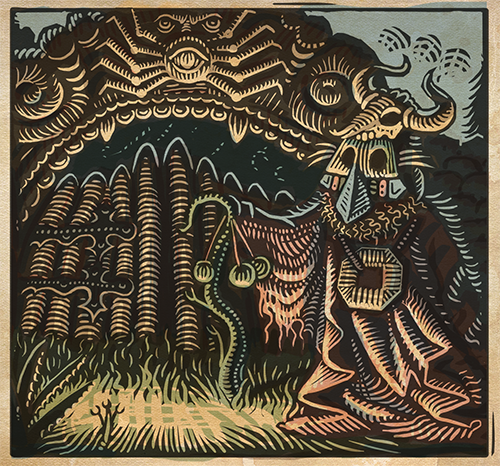
One of the gatekeepers in Incredipede. Vote for us on Steam Greenlight.
But it feels to me that most of the world is still waiting to discover Incredipede, because it’s yet to appear on the One True PC Distribution Platform: Steam. There’s no doubt about it: they won. Even I (Sarah) use their store to find new games, and often buy games through Steam rather than directly from developers. The most common question we get from people looking to buy Incredipede is “will I get a Steam key when the game is released there?”. The answer is yes. When!
As you’ve probably heard, Valve recently changed the way they accept indie games like Incredipede onto their Steam store. It used to be you’d email them directly and hear back yay or nay or (more often) nothing. It was obviously an understaffed and un-ideal system, and to Valve’s credit they’re trying to improve it. Incredipede has been one of the first games to use their new submission system Steam Greenlight. On Greenlight, games are voted for by the general public and the top 10 are accepted onto Steam every month. Being a relatively unheard of unreleased game, Incredipede had little chance of getting enough votes in time to launch with Steam. The onus is on the developer to bring players in to vote for their game, a challenge that IMO makes the controversy over Greenlight’s $100 fee seem downrightsilly.
Incredipede flew up the ranks after release and is hovering at #20, which means it’ll likely be accepted in a couple months. Colin’s planning some improvements for the Steam release and we may push it back to February or March to avoid the post-Holiday hole. We’re both quite confident that this is going to happen, but it’s been demoralizing to have to wait, checking that number every week to see if it’s moved.
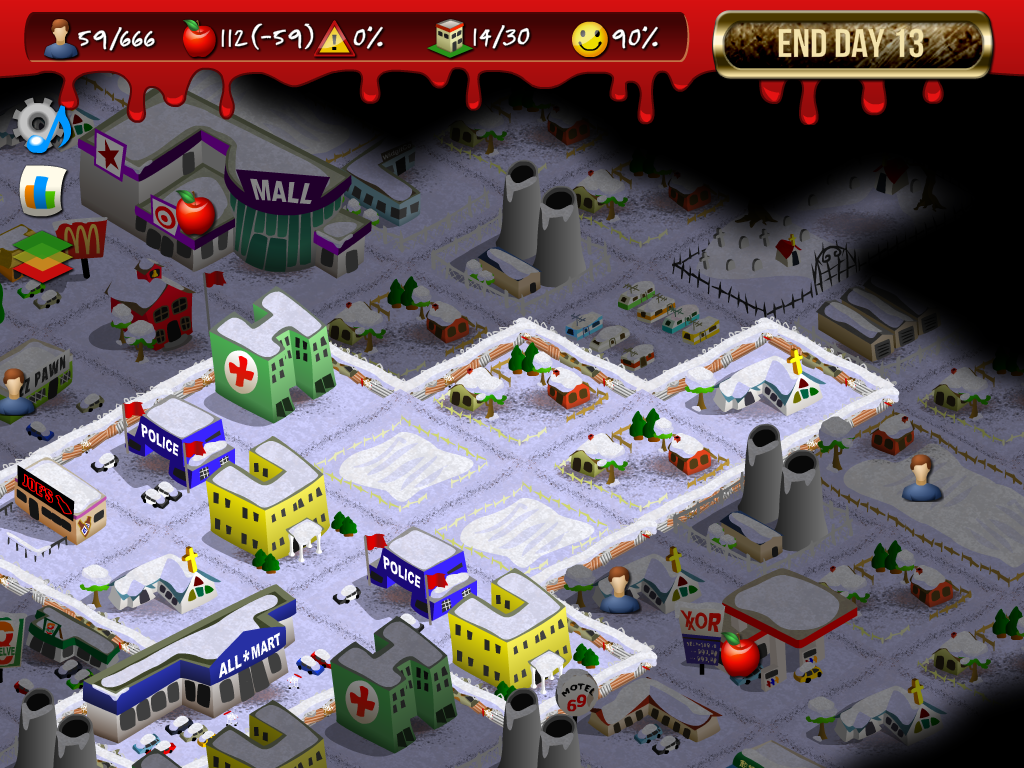
Rebuild’s been on sale quite a bit lately. October marked the one-year anniversary of Rebuild 2 (Oct 6th to be exact, with the mobile version on Nov 17th). To celebrate I did my first big content update for Rebuild, and ran a 99 cent sale for most of the month. The main new addition was seasons – now you could start the game in winter and play with an extra challenge: farms produce no food (no, not even winter melons!).
Of course, although it’s possible to get through by just tightening your belts and doing daily scavenging trips to food-marts, that wouldn’t be as exciting as, say, eating human flesh. For example. So I made that an option: if it comes down to it you can eat your fallen comrades. Of course, once you try the other-other white meat it’s hard to be satisfied with anything else, and cannibalism has a tendency to escalate to much darker places. You’ve been warned!
Another advantage to this winter mode is that it comes up naturally if you start a fort in spring and make it to day 200 or so, well past the point that the game gives you interesting content. So you can now try to save up enough food to feed your 100-person fort until spring (hint: you’ll need 100 * 30 * 3 = 900 day’s rations). Or, you know, just see what happens. Winter might be a good time to get in that helicopter and get the hell outta Dodge.
The October sale and new content afforded Rebuild a round of press mentions and a New & Noteworthy feature on iTunes. It surprisingly didn’t make it into any Halloween-themed features which was what I was aiming for with my brazen new pumpkin icon. Downloads slowly petered off after the initial spike, and the curve didn’t seem to change when I put the price back from $0.99 to $2.99. In all the event doubled my expected profit for October. Probably it was worth the trouble, although the iPhone5 release and some Google Play bugs made it far more stressful and time consuming than it should have been. Not to mention that month I had to finish Incredipede with Colin!
By happenstance Rebuild also got rolled into Google Play’s 25 cent sale in September which was rather interesting (55k downloads in one day whaaaow). It seemed to have no effect whatsoever on my iOS sales, but Android sales appeared to triple because of it. It was interesting to see them try such a daring “Steam sale”, but I hope to hell players don’t get used to it and start waiting for 99 cent apps to “go on sale”.
Let’s face it: PayPal may be an unethical, bullying monopoly, but it’s a necessary evil when selling online. When we used PayPal to sell Fantastic Contraption, they suddenly froze our account because they were worried our digital goods (the full version of the game) might *poof* and disappear causing thousands of players to demand a refund. Incredipede will use micropayments to sell cool custom creature skins by different artists.PayPal has since then joined the modern age and added a new payment solution specifically for digital goods. It has lower rates for payments under $15 (5% + 5 cents, you just have to apply), and includes an optional login-free 2-click interface. You still need access to a browser window running Javascript, but it seems PayPal is making strides to support smaller, faster purchases.
I just added a PayPal micropayment system to Incredipede. I used to implement payment methods professionally, but for my own projects I prefer to keep things simple. The Java PayPal APIs I found were all too complicated, didn’t work with Google App Engine, or were out of date and incompatible with Digital Goods. So I rolled my own simple system which uses PayPal’s Express Checkout API. It has three public methods:
startPurchase – Begins the transaction and sends the user to PayPal
validateDetails – Verifies the payment when the user returns
finishPurchase – Completes the payment
I’ve simplified it down to one file for you with a bunch of inline constants and other bad practices. You may download PayPalManager.java (or copy & paste from below) and do as you will with it:
package com.incredipede.store;

import java.io.BufferedReader;
import java.io.DataOutputStream;
import java.io.IOException;
import java.io.InputStreamReader;
import java.net.HttpURLConnection;
import java.net.URL;
import java.net.URLDecoder;
import java.net.URLEncoder;
import java.util.HashMap;
import java.util.StringTokenizer;
import java.util.logging.Logger;

import javax.servlet.http.HttpServletResponse;

/**
 * Super simple implementation of Paypal for Digital Goods - Express Checkout API
 * Java NVP (name-value pairs) implementation (July 1012 version 69.0)
 *
 * Using API and code samples from:
 * https://cms.paypal.com/cms_content/US/en_US/files/developer/PP_ExpressCheckout_IntegrationGuide_DG.pdf
 * https://cms.paypal.com/us/cgi-bin/?cmd=_render-content&content_ID=developer/e_howto_api_IntroducingExpressCheckoutDG
 * https://cms.paypal.com/us/cgi-bin/?cmd=_render-content&content_ID=developer/howto_api_reference
 * https://www.paypal-labs.com/integrationwizard/ecpaypal/cart.php
 *
 * Usage:
 *     When user presses a "Buy" button on your site:
 *         PayPalManager.startPurchase(2, 5, "Dapper Hat", A virtual item in the game Incredipede", "1.00", response);
 *     When user returns to RETURN_URL after authenitcating purchase on Paypal's website:
 *         String token = request.getParameter("token");
 *         int userId = Integer.parseInt(request.getParameter("userId"));
 *         int itemId = Integer.parseInt(request.getParameter("itemId"));
 *         // first check the status on paypal's system and make sure purchase is for reals
 *         String payerId = PayPalManager.validateDetails(token, userId, itemId);
 *         // next perform the purchase on your system to make sure it succeeds
 *         ...
 *         // finally take the user's money
 *         try {
 *             PayPalManager.finishPurchase(token, payerId, userId, itemId, "Dapper Hat",
 *                 A virtual item in the game Incredipede", "1.00");
 *         } catch (Exception e) {
 *             // roll back the purchase on your system
 *             ...
 *         }
 *
 * @author Sarah Northway
 */
public class PayPalManager
{
	// production creds
//	protected static String API_USERNAME = "xxxxxxxxxxxxxxxxxxxxxxxx";
//	protected static String API_PASSWORD = "XXXXXXXXXXXXX";
//	protected static String API_SIGNATURE = "XXXXXXXXXXXXXXXXXXXXXXXXXXXXXXXXXXXXXXXXXXX";
//	protected static String API_URL = "https://api-3t.paypal.com/nvp";
//	protected static String REDIRECT_URL = "https://www.paypal.com/cgibin/webscr?cmd=_express-checkout";

	// sandbox creds
	protected static String API_USERNAME = "xxxxxxxxxxxxxxxxxxxxxxxx";
	protected static String API_PASSWORD = "XXXXXXXXXXXXX";
	protected static String API_SIGNATURE = "XXXXXXXXXXXXXXXXXXXXXXXXXXXXXXXXXXXXXXXXXXX";
	protected static String API_URL = "https://api-3t.sandbox.paypal.com/nvp";
	protected static String REDIRECT_URL = "https://www.sandbox.paypal.com/webscr?cmd=_express-checkout";

	/** User will return to this page after the sale is successful */
	protected static String RETURN_URL = "http://127.0.0.1:8888/return;

	/** User will return here if they hit the cancel button during purchase */
	protected static String CANCEL_URL = "http://127.0.0.1:8888/cancel;

	protected final static Logger log = Logger.getLogger(PayPalManager.class.getName());

	/**
	 * Step 1: SetExpressCheckout
	 *
	 * The first step of Express Checkout for Digital Goods: send a SetExpressCheckout
	 * request to PayPal and receive a token in response. Redirect the user to Paypal,
	 * then wait for their return through either the returnUrl or cancelUrl.
	 *
	 * As of version 69.0, digital payments must set L_PAYMENTREQUEST_0_ITEMCATEGORY0=Digital,
	 * must specify NOSHIPPING=1 and REQCONFIRMSHIPPING=0,
	 * must use both AMT and ITEMAMT, and must have exactly one
	 * payment (PAYMENTREQUEST_0_[...]) and one item (L_PAYMENTREQUEST_0_[...]0).
	 * https://cms.paypal.com/us/cgi-bin/?cmd=_render-content&content_ID=developer/e_howto_api_nvp_r_SetExpressCheckout
	 *
	 * @param userId The user's unique id in our system
	 * @param itemId The unique id in our system for the thing being bought
	 * @param itemName Shown in paypal as the name of the thing being bought eg "Dapper hat"
	 * @param itemDescription Shown in paypal beneath the item name eg "A virtual item in the game Incredipede"
	 * @param itemPriceDollars String price in USD must include decimal and two digits after eg "10.00"
	 */
	public static void startPurchase (int userId, int itemId, String itemName, String itemDescription,
		String itemPriceDollars, HttpServletResponse resp)
	{
		// include the userId and itemId in the return urls so we can access them later
		String returnUrl = encodeValue(RETURN_URL + "&userId=" + userId + "&itemId=" + itemId);
		String cancelUrl = encodeValue(CANCEL_URL + "&userId=" + userId + "&itemId=" + itemId);

		String data =
			"METHOD=SetExpressCheckout" +
			getAuthenticationData() +
			"&REQCONFIRMSHIPPING = 0" +
			"&NOSHIPPING = 1" +
			"&ALLOWNOTE = 0" +
			"&PAYMENTREQUEST_0_PAYMENTACTION=Sale" +
			"&PAYMENTREQUEST_0_CURRENCYCODE=USD" +
			getPurchaseData(userId, itemId, itemName, itemDescription, itemPriceDollars) +
			"&RETURNURL=" + returnUrl +
			"&CANCELURL=" + cancelUrl +
			"";

		// tell paypal we want to start a purchase
		HashMap results = doServerCall(data);

		// forward the user on to payapal's site with the token identifying this transaction
		try {
			String token = results.get("TOKEN");
			String redirectUrl = resp.encodeRedirectURL(REDIRECT_URL + "&token=" + token);
			log.info("Sending user to paypal: " + redirectUrl);
			resp.sendRedirect(redirectUrl);
		} catch (IOException e) {
			e.printStackTrace();
			throw new RuntimeException("Failed to open PayPal link: " + e.getMessage());
		}
	}

	/**
	 * Step 2: GetExpressCheckoutDetails
	 *
	 * Second step, performed when the user returns from paypal to validate the transaction
	 * details. If we cared about shipping info, the user's name etc it would be fetched here.
	 * Throws an exception if userId or purchase details don't match paypal's values, or if
	 * there's a problem with the purchase itself.
	 * https://cms.paypal.com/us/cgi-bin/?cmd=_render-content&content_ID=developer/e_howto_api_nvp_r_GetExpressCheckoutDetails
	 *
	 * @param token The token created and returned by Paypal in step 1 (from the return url)
	 * @param userId The user's unique id in our system (from the return url)
	 * @param itemId The unique id in our system for the thing being bought (from the return url)
	 * @return Returns the user's paypal PayerId for use in the last step
	 */
	public static String validateDetails(String token, int userId, int itemId)
	{
		String data =
			"METHOD=GetExpressCheckoutDetails" +
			getAuthenticationData() +
			"&TOKEN=" + encodeValue(token) +
			"";

		HashMap results = doServerCall(data);

		int resultsUserId = Integer.parseInt(results.get("PAYMENTREQUEST_0_CUSTOM"));
		if (resultsUserId != userId) {
			throw new RuntimeException("UserId does not match.");
		}

		int resultsItemId = Integer.parseInt(results.get("PAYMENTREQUEST_0_INVNUM"));
		if (resultsItemId != itemId) {
			throw new RuntimeException("ItemId does not match.");
		}

		String payerId = results.get("PAYERID");
		if (payerId == null || payerId.trim().length() == 0) {
			throw new RuntimeException("Payment has not been initiated by the user.");
		}

		return payerId;
	}

	/**
	 * Step 3: DoExpressCheckoutPayment
	 *
	 * Completes the payment that has already been started and authorized by the user
	 * via the paypal website. Requires passing in purchase information again.
	 * https://cms.paypal.com/us/cgi-bin/?cmd=_render-content&content_ID=developer/e_howto_api_nvp_r_DoExpressCheckoutPayment
	 *
	 * @param userId The user's unique id in our system
	 * @param itemId The unique id in our system for the thing being bought
	 * @param itemName Shown in paypal as the name of the thing being bought eg "Dapper hat"
	 * @param itemDescription Shown in paypal beneath the item name eg "A virtual item in the game Incredipede"
	 * @param itemPriceDollars String price in USD must include decimal and two digits after eg "10.00"
	 */
	public static void finishPurchase(String token, String payerId, int userId, int itemId, String itemName,
		String itemDescription, String itemPriceDollars)
	{
		try {
			String data =
				"METHOD=DoExpressCheckoutPayment" +
				getAuthenticationData() +
				"&TOKEN=" + encodeValue(token) +
				"&PAYERID=" + encodeValue(payerId) +
				getPurchaseData(userId, itemId, itemName, itemDescription, itemPriceDollars) +
				"";

			HashMap results = doServerCall(data);

			// warn if transaction type isn't completed or on the way to completed
			String status = results.get("PAYMENTINFO_0_PAYMENTSTATUS");
			if (status == null || !(status.equalsIgnoreCase("Completed")
				|| status.equalsIgnoreCase("In-Progress")
				|| status.equalsIgnoreCase("Processed")
				|| status.equalsIgnoreCase("Completed-Funds-Held"))) {
				ActionHandler.log.warning("Unexpected paypal purchase status: " + status
					+ " for userId=" + userId + ", paypal payerId=" + payerId
					+ ", transaction=" + results.get("PAYMENTINFO_0_TRANSACTIONID"));
			}

		// must rollback purchase if anything happens here, so make sure we catch them all
		} catch (RuntimeException e) {
			e.printStackTrace();
			throw new RuntimeException(e.getMessage());
		}
	}

	/**
	 * Return the name-value-pair parameters required for SetExpressCheckout and
	 * DoExpressCheckoutPayment steps.
	 *
	 * @param userId The user's unique id in our system
	 * @param itemId The unique id in our system for the thing being bought
	 * @param itemName Shown in paypal as the name of the thing being bought eg "Dapper hat"
	 * @param itemDescription Shown in paypal beneath the item name eg "A virtual item in the game Incredipede"
	 * @param itemPriceDollars String price in USD must include decimal and two digits after eg "10.00"
	 */
	protected static String getPurchaseData(int userId, int itemId, String itemName,
		String itemDescription, String itemPriceDollars)
	{
		return
			"&PAYMENTREQUEST_0_AMT=" + itemPriceDollars +
			"&PAYMENTREQUEST_0_ITEMAMT=" + itemPriceDollars +
			"&PAYMENTREQUEST_0_DESC=" + itemDescription +
			"&PAYMENTREQUEST_0_CUSTOM=" + userId +
			"&PAYMENTREQUEST_0_INVNUM=" + itemId +
			"&L_PAYMENTREQUEST_0_NAME0=" + itemName +
			"&L_PAYMENTREQUEST_0_DESC0=" + itemDescription +
			"&L_PAYMENTREQUEST_0_AMT0=" + itemPriceDollars +
			"&L_PAYMENTREQUEST_0_QTY0=" + 1 +
			"&L_PAYMENTREQUEST_0_ITEMCATEGORY0=Digital" +
			"";
	}

	/**
	 * Return the name-value-pair parameters required for all paypal api calls
	 * to authenticate the seller account.
	 */
	protected static String getAuthenticationData()
	{
		return
			"&VERSION=69.0" +
			"&USER=" + API_USERNAME +
			"&PWD=" + API_PASSWORD +
			"&SIGNATURE=" + API_SIGNATURE +
			"";
	}

	/**
	 * Send off the given data to PayPal's API and return the result in key-value pairs.
	 * Validate the ACK return value from paypal and throw an exception if it isn't "Success".
	 */
	protected static HashMap doServerCall (String data)
	{
		log.info("Sending data to paypal: " + data);

		String response = "";
		try {
			URL postURL = new URL(API_URL);
			HttpURLConnection conn = (HttpURLConnection)postURL.openConnection();
			conn.setDoInput(true);
			conn.setDoOutput(true);
			conn.setConnectTimeout(3000);
			conn.setReadTimeout(7000);
			conn.setRequestMethod("POST");

			DataOutputStream output = new DataOutputStream(conn.getOutputStream());
			output.writeBytes(data);
			output.flush();
			output.close();

			// Read input from the input stream.
			int responseCode = conn.getResponseCode();
			if (responseCode != HttpURLConnection.HTTP_OK) {
				throw new RuntimeException("Error " + responseCode + ": " + conn.getResponseMessage());
			}

			BufferedReader reader = new BufferedReader(new InputStreamReader(conn.getInputStream()));
			String line = null;
			while(((line = reader.readLine()) !=null)) {
				response = response + line;
			}
			reader.close();
		} catch(IOException e) {
			e.printStackTrace();
			throw new RuntimeException(e.getMessage());
		}

		log.info("Got response from paypal: " + response);
		if(response.length() <= 0) {
			throw new RuntimeException("Received empty response");
		}
		HashMap results = parsePaypalResponse(response);

		// first check for the new version (PAYMENTINFO_0_ACK)
		String ackString = results.get("PAYMENTINFO_0_ACK");
		if (ackString == null || !(ackString.equalsIgnoreCase("Success") || ackString.equalsIgnoreCase("SuccessWithWarning"))) {
			String errorCode = results.get("PAYMENTINFO_0_ERRORCODE");
			String errorLongMsg = results.get("PAYMENTINFO_0_LONGMESSAGE");
			if (errorCode != null && errorCode.trim().length() > 0) {
				throw new RuntimeException("Purchase Failed (code " + errorCode + "): " + errorLongMsg);
			}

			// sometimes API returns old version ACK instead of PAYMENTINFO_0_ACK
			ackString = results.get("ACK");
			if (ackString == null || !(ackString.equalsIgnoreCase("Success") || ackString.equalsIgnoreCase("SuccessWithWarning"))) {
				errorCode = results.get("L_ERRORCODE0");
				errorLongMsg = results.get("L_LONGMESSAGE0");
				throw new RuntimeException("Purchase Failed (code " + errorCode + "): " + errorLongMsg);
			}
		}

		return results;
	}

	/**
	 * Parse results from PayPal to a map of name/value pairs. Their format looks like:
	 * "TOKEN=EC%2d80X519901R8632201&TIMESTAMP=2012%2d07%2d13T09%3a57%3a44Z&ACK=Success"
	 */
	protected static HashMap parsePaypalResponse (String data)
	{
		HashMap results = new HashMap();
		StringTokenizer tokenizer = new StringTokenizer(data, "&");
		while (tokenizer.hasMoreTokens()) {
			StringTokenizer tokenizer2 = new StringTokenizer(tokenizer.nextToken(), "=");
			if (tokenizer2.countTokens() != 2) {
				continue;
			}
			String key = decodeValue(tokenizer2.nextToken());
			String value = decodeValue(tokenizer2.nextToken());
			results.put(key.toUpperCase(), value);
		}
		return results;
	}

	/**
	 * Prepare a given string for transmission via HTTP. Spaces become %20, etc.
	 */
	protected static String encodeValue(String value)
	{
		try {
			return URLEncoder.encode(value, "UTF-8");
		} catch (Exception e) {
			e.printStackTrace();
			return "";
		}
	}

	/**
	 * Undo encoding of string that was sent via HTTP. %20 becomes a space, etc.
	 */
	protected static String decodeValue(String value)
	{
		try {
			return URLDecoder.decode(value, "UTF-8");
		} catch (Exception e) {
			e.printStackTrace();
			return "";
		}
	}
}
We often make friends with stray dogs when we travel, because, well, there are a lot of them in the world. In Panagia, it’s cats. Cats on the rooftops, cats in the alleys, cats in the gutters caterwauling at dusk. They’re all quite skittish so I took it as a challenge to get one of them to trust me.
I started feeding tiny bits of sausage once a day to a squirlish black and white cat with beautiful green eyes that just stare and stare into mine when I speak to her. The first day I only got her halfway up the steps. The second day she came to the front door and almost ate out of my hand. On the third day she lept to the deck, bolted across the floor and ran into the kitchen, earning herself much yelling and commotion, and the nickname “Houserunner”.
Some days Houserunner brings another cat with her who I call “Little Brother” (but is more likely her sister or daughter). This one has the same beautiful eyes and inquisitive stare, and enjoys hiding in the “cat cave” underneath my seat on the deck.
During our first week in Panagia we passed a very pregnant calico, but soon forgot her. Last week she reappeared with three kittens in tow, presumably now 3-4 weeks old. They moved in to a drainage hole in the house across the street, and we had a clear view from our deck of them frolicking in the bushes and clambering around the ruined building next door.
This morning we came out to find only a single black kitten alone in front of their home. He sat there and mewed tiny mournful mews for hours. Where was mom? Where were brother and sister? It was heartbreaking, and made it hard to concentrate. If happiness is a kitten, then sadness is a lost kitten. Eventually there came an answering meow from down the road, and the little guy perked up and scrambled off in that direction.
Several hours later we heard the same mewing and he returned. I brought him a saucer of milk and a nibblet of sausage, mostly to see if he was eating solid food. He went for the sausage, so that answered that. More mewing, then finally came that answering meow again and off he went. What’s going on? Is the little kitten just getting lost? Or is mom ditching him on purpose?
Colin doesn’t like it when I feed strays. Not because they’ll become pests, though that’s part of it. He feels bad for how confused and lost they’ll be when we stop feeding them. Like they’ll get used to free food and forget how to forage for themselves, then after we go they’ll pine for that happy full feeling. I’m not sure if Colin’s right, but it sure is sad. *sniff*
We love strays but for god’s sake people, spay and neuter your pets!
Edit: But wait there’s moar! A young spotted mom (The Lynx) just arrived in the ruined house next door with a small army of kittens in tow. Houserunner and Little Bro are there too playing with the kittens. It’s a monstrous pile of adorable. How the hell are they going to feed them all??
Edit #2: Lynx and Little Sister (definitely female) seem to be living as a family unit with at least 10 kittens. I didn’t know cats did this! They’re both nursing and don’t seem to know or care whose kittens are whose anymore. Today we watched them move their offspring up onto the hill, which took hours of back and forth and responding to the cries of kittens who got lost along the way (so that’s how that happens). Little Sis got fed up by the end and carried the stragglers up by the scruff of their necks.
This weekend I and a host of other indie developers put our games on sale #BecauseWeMay. Last week Amazon had the same idea and put Rebuild on sale for 99 cents, and although I’m personally fine with whatever they do and it did make me money, I didn’t have the option to say no. Other platforms do the opposite: they set a price in stone and don’t let developers put their own games on sale. So #BecauseWeMay is an acknowledgement of those platforms (like the Apple App Store, Google Play, and Steam) that let developers choose their own prices. Super Office Stress took the message to heart and actually raised their price to 99 bucks.
In other Rebuild news, I’ve done a few more interviews recently, and wrote a postmortem where I describe the ups and downs of writing Flash games. All this keeps getting me thinking about a sequel…
But mostly I’ve been beavering away with Colin at Incredipede. I hope he’ll want to post something soon because it’s looking great!
EDIT: Amazon’s decided to feature/discount Rebuild again this weekend, so you can go get Rebuild for your Kindle Fire. How much will it cost? Only Amazon knows!